

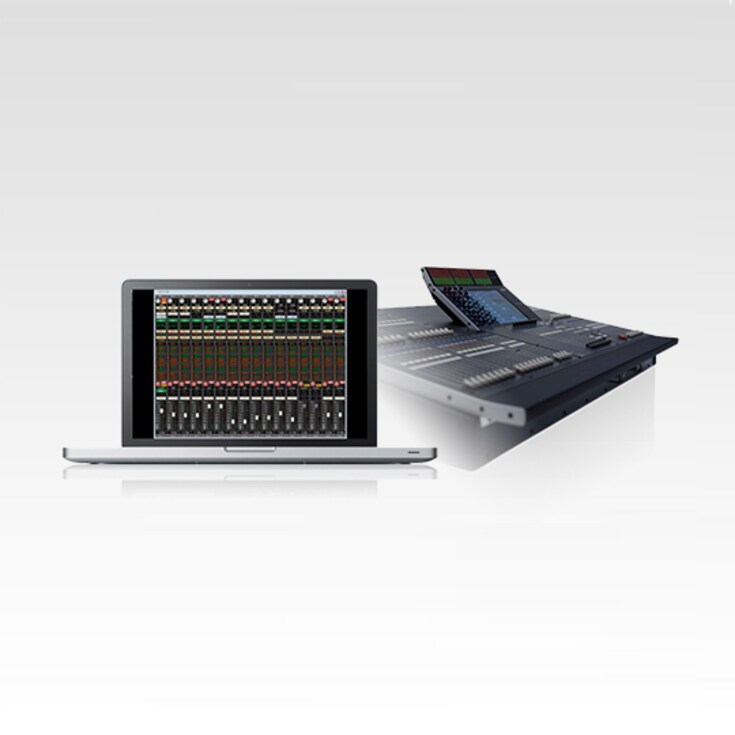
M7CL V3 Editor 애플리케이션은 콘솔의 모든 파라미터에 대한 오프라인 프로그래밍 접근을 제공합니다. 설정은 컴퓨터에서 콘솔로 직접 Ethernet 연결 또는 USB 메모리 스틱을 통해 다운로드할 수 있습니다.

콘솔 없이도 가능한 편리한 콘솔 셋업
M7CL V3 Editor is a freeware application that allows parameter viewing and control via a computer. When connected to the console and used online it provides comprehensive metering as well as real-time display of selected channel status. Offline you can edit and manage scene data, patch lists, and other functions for a significant boost in control and work efficiency. And where a rental or installed console must be used, you can simply save your settings to a USB memory and load them into the console when needed. M7CL V3 Editor is a great way to manage backups too.
개요
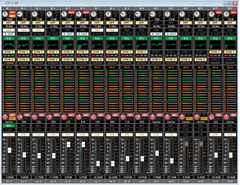
The Overview display offers a convenient view of the mix parameters for 16 channels or mix buses at a time. In Version 3 Sends on Fader functionality is also available via the editor's Overview display.
Selected Channel
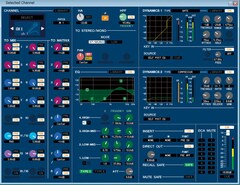
Similar to the Selected Channel display on the console, this display provides comprehensive access to all parameters for the selected channel. Multiple “Additional Views” for other channels can be opened simultaneously.
Group/Link
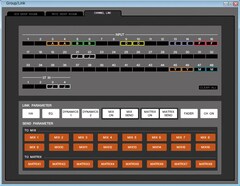
Channel linking can quickly and efficiently accomplished on the console itself, but if you need to create channel link or group setupsoffline, the M7CL V3 Editor makes the task easy.
Rack
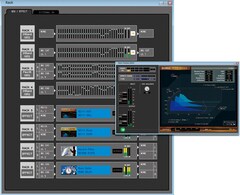
The M7CL V3 Editor Rack display is essentially the same as the console display, allowing smooth, intuitive effect assignment and editing.
Library
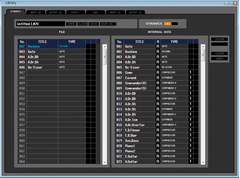
The M7CL V3 Editor allows convenient data library management, too.
Scene
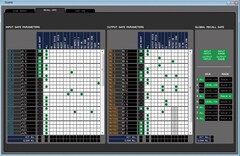
You also have full access to scene functions with the M7CL V3 Editor, including the focus and recall safe functions that allow exceptional control over the parameters that will be included and excluded when a scene is recalled.
* 사양은 사전 공지 없이 변경될 수 있습니다. 표시된 색상 및 마감은 실제 제품과 다를 수 있습니다.
