

다운로드


-
TF StageMix:
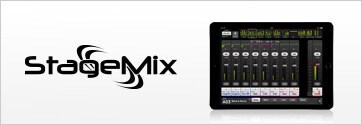
TF StageMix는 TF 시리즈 콘솔을 무선으로 제어할 수 있는 iPad용 애플리케이션으로, 관객석, 플로어 모니터 앞, 또는 기타 청취 위치에서 원격 믹싱을 가능하게 합니다.
-
MonitorMix
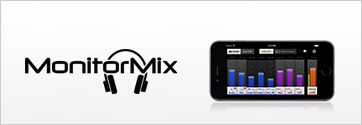
「MonitorMix」는 「TF시리즈」의 AUX믹스를 무선으로 제어 할 수 있는 iPhone, iPod Touch용 애플리케이션입니다.최대 10대까지 동시에 사용할 수 있으며, 각 연주자가 연주 중에 자신의 모니터 믹스를 할 수 있습니다. 그 때, 자신에게 할당 된 AUX 버스의 밸런스만을 조절하면 되기 때문에 다른 연주자의 모니터 믹스를 잘못 조절해 버릴 염려도 없습니다.※
바탕화면


셀프 트레이닝
오디오 네트워킹

사운드 엔지니어 이용 후기
유명한 오디오 엔지니어, 장비 감독이자 저술가인 러스 롱(Russ Long)은 Yamaha TF5 Digital Mixing Console을 처음 사용해본 경험에 대해 설명합니다.
러스는 직관적인 TouchFlow Operation™ 의 디자인 덕분에 얼마나 사운드체크가 빨리 끝날 수 있었는지에 대해 이야기 합니다. 후기에서 러스는 QuickPro™ Presets, GainFinder™, 보컬용 1-knob EQ™, 그리고 멀티 터치 스크린의 장점에 대해 이야기 합니다.
-
Yamaha TF Series Digital Mixing Consoles - 사운드 엔지니어 이용 후기
Yamaha TF Series: 5-piece Mix in 5 Minutes
이 비디오는 TF에서 TouchFlow 작동 및 QuickPro Presets™ 프리셋을 사용하여 5분 이내에 5가지 밴드 믹스하는 법을 설명합니다.
TF Series 사용법 안내 동영상
TF 사용법 안내 동영상을 시청해주셔서 감사합니다. 앤디 쿠퍼(Andy Cooper)가 TF 시리즈 라인업을 설명하고 며칠 동안 설명서를 읽느라 고생하지 않아도 되도록 세련되고 전문적인 결과물을 만들어 내는 데 도움이 될 요점을 안내해 드릴 것입니다.
* 영어 자막이 제공됩니다.
-
1. 소개
새로운 TF 시리즈의 핵심 컨셉을 구성하는 Yamaha의 독보적인 디지털 믹서 헤리티지
-
2. 개요
TF 콘솔은 컴팩트하지만 새로운 기능과 기술로 넘쳐납니다. 이제 함께 알아보겠습니다.
-
3. 출력 튜닝
어떻게 TF가 중요하지만 시간이 많이 소비되는 작업을 쉽고 빠르게 만들어주는지 알아보겠습니다.
-
4. 사운드체크 및 리허설
TF에는 사운드 엔지니어의 작업을 빠르게 만들어줄 새로운 기능이 추가되었습니다. 동영상에서 팁을 알아보세요.
-
5. 믹싱 모니터링
뮤지션들은 TF가 얼마나 무대에서 편안한 사운드를 얼마나 빨리 만들어내는지 놀라움을 금치 못합니다. 동영상에서 방법을 알아보세요.
-
6. 강력한 프로세싱
단순히 좋은 사운드 믹싱을 전문가 수준으로 끌어올리는데 여덟 가지의 TF 유닛이 어떻게 사용되는지 알아보세요.
-
7. 녹음 및 재생
스테레오 또는 멀티 트랙, 녹음 또는 재생, 가상 사운드체크 또는 백그라운드 뮤직. TF라면 이 모든게 쉽습니다.
-
8. 에디터 및 앱
TF와 함께 이용할 수 있는 유용한 앱: TF Editor, TF StageMix™ 및 MonitorMix를 이용해서 워크플로우를 개선하고 믹싱을 자유롭고 재미있게 할 수 있는 방법을 알아보세요.
TF Series Hints and Tips Video
튜토리얼 영상을 보고 TF 시리즈 사용법을 이해했으면 TF 시리즈 콘솔, TF 에디터 등을 최대한 활용하는 방법을 보여주는 힌트 및 팁 영상 모음을 살펴보세요. 생산성과 전체적인 믹싱 경험을 향상하는 데 도움이 될 것입니다.
-
1. Channel Labeling
각 채널 이름을 표시하는 유용한 팁입니다. PC에서 채널 차트 스프레드 시트를 준비하십시오.
-
2. DCA Rollout
TF Stage Mix를 활용하여 (채널이 적은) TF1 및 TF3에서 효과적으로 DCA 채널을 전개하는 방법을 알아봅니다.
-
3. Foot Controller
믹서는 손으로만 조작해야 하나요? 야마하 FC5 풋 스위치를 사용하면 본인(또는 다른 사람)의 발로도 TF 시리즈를 조작할 수 있습니다.
-
4. 페이더를 수리하세요
이 Vlog는 TF, CL/QL 및 RIVAGE PM 믹싱 콘솔이 잘 작동하도록 편리한 유지 보수를 제공합니다. 모터 페이더가 서로 정렬되지 않으면 페이더 보정 기능을 사용하여 정렬 오류를 정정할 수 있습니다. 이는 대부분의 페이더 동작 문제를 해결하는 빠르고 쉬운 솔루션입니다.
-
5. 애플리케이션 설정 방법
TF는 콘솔과 원활하게 작동하는 3가지 애플리케이션인, TF Editor, TF StageMix, MonitorMix를 제공합니다. 이 비디오는 DHCP 기술을 사용하여 무선 Wi-Fi로 이 앱들을 연결 및 설정하는 방법을 설명합니다. 이 앱들은 다음과 같이 다양한 장치에서 사용되는데, PC의 경우 "TF Editor"이고, iPad의 경우 "TF StageMix"이고, iPod의 경우는 "MonitorMix"입니다.
-
6. Nuendo Live를 이용한 라이브 녹음
본 안내서는 Yamaha TF 시리즈 디지털 믹서, Steinberg Nuendo Live의 소프트웨어, 및 PC를 이용해 라이브로 멀티트랙을 녹음하는 방법을 설명합니다.
-
7. 버전 2.0의 새로운 기능
Yamaha TF 시리즈 버전 2.0의 새로운 주요 기능을 찾아서 알아보십시오. 여기에는 새로운 이펙트 타입, 새로운 라우팅 기능 외에 몇 가지 새로운 단축키도 포함됩니다. Tio1608-D I/O 랙의 빠른 구성에 대한 자세한 내용은 다른 비디오를 참조하십시오.
-
8. 버전 3.5 및 4의 새로운 기능
Yamaha의 TF 믹서는 지난 몇 년간 새로운 작업자를 대상으로 사용 편의성을 유지하고 전문가급 기능과 함께 고품질 사운드를 필요로 하는 사운드 엔지니어에게 현명한 선택이었습니다. 최근에는 몇 가지 훌륭한 업데이트가 나왔는데 이제 그 새로운 기능들을 살펴 보겠습니다.
-
9. 버전 4.5의 새로운 기능
Yamaha TF 시리즈 믹서는 출시 후 지속적으로 발전해 왔습니다. 그리고 이제 TF 시리즈가 V4.5로 업데이트되었습니다. 이 업데이트는 USB 및 네트워킹 향상뿐만 아니라, Audix 마이크 프리셋을 장착했습니다. 이 비디오에서는 USB 및 네트워크 기능을 집중적으로 다루게 됩니다.
-
CL/QL/TF 시리즈용 QLab 설치 안내서
이 문서는 진정한 표준 공연 제어 시스템인 "QLab"과 CL/QL/TF 시리즈 콘솔을 제어하는 Python 스크립트를 연결 및 설정하는 방법을 설명합니다.

-
AES67을 지원하는 Yamaha Dante 기기 안내서
본 안내서는 Yamaha Dante 기기와 타사의 Dante가 아닌 AES67를 연결하는 방법을 안내합니다.

-
Steinberg Nuendo Live와 함께하는 TF 시리즈 라이브 녹음
본 안내서는 Yamaha TF 시리즈 디지털 믹서, Steinberg Nuendo Live의 소프트웨어, 및 PC를 이용해 라이브로 멀티트랙을 녹음하는 방법을 설명합니다.
FAQ
-
What is the main feature of TF Series Digital Mixing Consoles?

-
What is each of the three USB ports on TF series used for?
-
What type of device can be connected to the "iPad" USB port?
-
Is the fader mechanism the same as other Yamaha digital consoles?
-
Can TF series use general USB devices such as LED lights and keyboards?
-
What are the differences between TF5, TF3, and TF1?
-
How many GEQs are available? Where can GEQ be inserted?
-
What sort of recording solution is available with TF?
-
What is the file format of a USB 2-track recording?
-
Is a Cascade function available in order to increase the Input channel mixing capacity?
-
What type of effects is installed?
-
Where can an input signal from the iPad USB port be assign to?
-
What are the functions of 1-knob EQ Vocal Mode, Intensity Mode, and Loudness Mode?
-
What parameters are included in the QuickPro Presets?
-
At what dBFS input level does the GainFinder function indicate good?
-
How many fader banks does TF series have?
-
What DAW software can be used with TF series?
-
Can Nuendo Live be linked with TF series via the Extension plug-in like CL and QL series?
-
Do mono input channels have a pairing function?
-
What is the difference between mono AUX and stereo AUX?
-
Can TF series recognize an Android device as a USB storage device and use it as a recorder or player?
-
How many units (U) are needed to mount the TF1 in a standard 19-inch EIA equipment rack?
-
Does TF series have a DAW control function?
-
How many units of I/O rack can be used with TF series via the NY64-D card?
-
How many units of TF series can simultaneously connect to a single unit of Tio1608-D?
-
What sampling rate do NY64-D and Tio1608-D support?
-
Does Tio1608-D support the Gain Compensation function like R series?
-
How many units of space are needed for rack-mounting Tio1608-D?
-
What are the functional differences between I/O racks R series (Rio1608-D) and Tio1608-D?
-
How does the sonic quality of Tio1608-D compare with R series?-D?
-
Is a license of Dante Virtual Soundcard included with NY64-D or Tio1608-D?
-
Is a network switch necessary for connecting I/O racks (Tio1608-D)?
-
What can you do with TF Editor, TF StageMix, MonitorMix respectively?
-
What kind of controls or settings can you do with TF Editor?
-
Does TF series have a port to port patch function?
-
How many iPad, tablet or PC/Mac devices can be connected to one TF simultaneously?
-
Why are the scene memories separated into two banks?
-
Does tap tempo work on all delay effects?
-
Are the settings of 1-knob COMP and 1-knob EQ (EQ percentage etc.) also stored in scene memories?
-
Can I customize a MUTE GROUP using the TF INPUT MUTE function?
-
Can DCA faders be used to control Output channel levels?
-
Can the SUB Master have its fader level linked to the STEREO MASTER?
-
Why does TF series sometimes start up with different settings from the ones before power-off?
-
Can Tio1608-D be used in both redundant and daisy-chain connections?
-
Can NY64-D be used in both redundant and daisy-chain connections?
-
How are TF series and Tio1608-D patched between them?
-
Can I edit the patch between TF series and Tio1608-D which the Quick Config function automatically set?
-
Can I edit the patch from/to Tio1608-D on the TF series touchscreen?
-
Which network cables should be chosen for connecting Tio1608-D? What’s the maximum length?
-
Is console data compatible between three models TF5, TF3 and TF1?
-
Is there any way to convert TF console data to that of other Yamaha digital mixers? Is there any way to convert other Yamaha digital mixers console data to that of TF?
-
What is an NY card? What is the difference between NY and MY cards?
-
Can TF use MY Cards? Are MY Cards compatible with NY slots?
-
How can consoles other than TF series control the Tio1608-D headamps?
-
Can CL/QL series make the Dante patches and HA control for Tio1608-D?
-
Can TF series use R series I/O racks?
-
Can TF series and CL/QL series share the same I/O rack (R series or Tio1608-D)?
-
How many effect processors does TF series have?
-
How can the Ins FX on the stereo AUX buses be used as SEND/RETURN FX?
-
How can the Ins FX SEND and RETURN levels be adjusted?
