






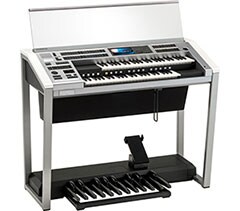



STAGEA의 표현력을 최대로 끌어내고자 하는 연주자들을 위한 제품

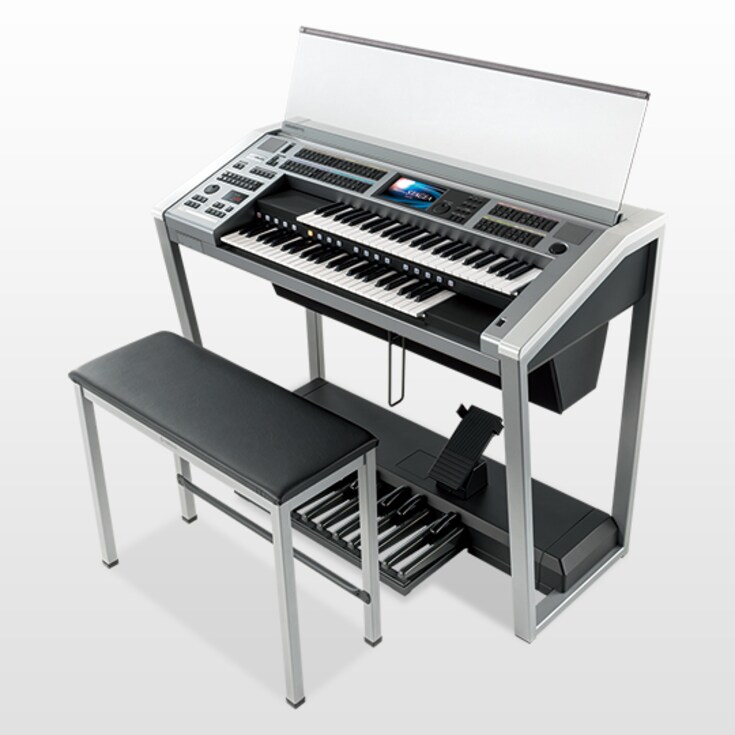
  • ELS-02 ELECTONE

The standard model for players of all ability levels

Features Super Articulation Voices for recreating the natural sounds of acoustic instruments, as well as a rich selection of rhythms to suit a wide variety of musical settings.

Play music from around the world

Play musical instruments from around the world with richly emotional expression. The Electone is the result of Yamaha's continued pursuit of the sound at the core of that energy.

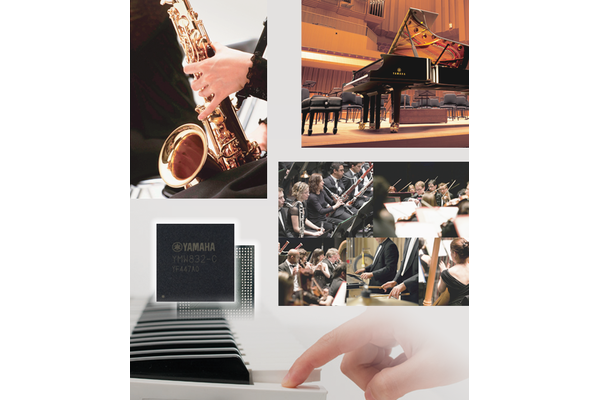
The STAGEA line is equipped with tone generators with different characters, allowing players to combine sounds to create any sound they could possibly want to play.

Weaving together the rhythms of the world

The huge range of genres the Electone is able to play means that it is full of rhythms from around the world. The presets reflect ethnic music and the modern music scene, and there is an optimal automatic accompaniment for every rhythm. The ELS-02 has a perfect rhythm for every song you want to play.
AWM Tone Generator

The Advanced Wave Memory (AWM) tone generator incorporates 986 voices. A wide variety of high quality sounds have been sampled, including not only wind and string instruments, but folk instruments, choral voices and many others, offering a rich range of expressiveness. Piano sounds incorporate the full, deep tones of the CFX full concert grand piano, the crowning glory of the Yamaha piano line.

Super Articulation Voices

Super Articulation Voices have been included which realistically reproduce the characteristic techniques used in playing wind, string, and other acoustic instruments, according to keyboard touch and playing style.

Articulation Element Model (AEM) Technology

AEM is Yamaha’s proprietary tone generation technology. AEM selects, in real time, the optimal sampled data for the piece being performed, recreating the smooth, natural sounds of acoustical instruments. AEM is used in some of the Super Articulation Voices.

Layers

A single tone can be produced by layering up to eight different wave types. This not only adds depth to the sound, but with variations in length and touch, can provide a wide range of expressions.

Recreate the Full Sound of an Orchestra

The three keyboards can sound up to eight types of tones simultaneously, enabling the player to recreate the rich, heavy sound of an orchestra.

Effects

Adding delay, distortion and other effects brings out a whole new range of expressive possibilities. The ELS-02/02C includes a wide variety of effects, with 16 categories and 308 types offering the player the freedom to combine effects and make detailed adjustments.

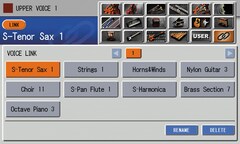
Voice Link

Voice Condition settings for each Voice can be registered in “Voice Link” and displayed on a single screen, where they can be called up for each of the Voice Sections. Because Condition settings are also linked, there is no need to repeatedly copy settings for each Section, making the registration process much faster.

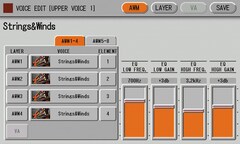
Voice Edit

The Voice Edit feature makes it possible to change the tone and volume of each Voice, enabling the player to create original Voices.

Note: Super Articulation Voices cannot be edited.

634 types of rhythm patterns

Preset, realistic rhythm patterns have been sampled from actual percussion instruments. From standard patterns to those reflecting today’s musical styles, the Electone offers a diversity of rhythm patterns that work with music from around the world.

The Rhythm Program lets the player edit existing patterns as well as create entirely original patterns.

Note: Some preset patterns cannot be edited.

Keyboard Percussion

A wide variety of percussion sounds and effects can be called up from the keyboards, making it possible to play percussion sounds from the Upper and Lower keyboards and Pedalboard. 40 sets per Unit are available for users to decide which sounds they wish to assign to each keyboard. Up to two sets can be used simultaneously.

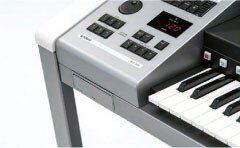
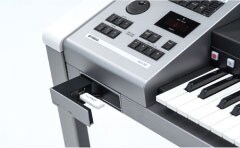
Voice Guide의 대화식 인터페이스로 Electone 조정을 지원합니다.

보이스 가이드가 활성화되면, 엘렉톤은 현재 디스플레이나 실행중인 작업의 정보를 말해줍니다. 이러한 기능은 시각 장애인도 악기를 사용하고 연주를 즐길 수 있도록 도와줍니다.

주의사항

* 보이스 가이드를 사용할 때, 보이스 가이드 파일이 들어 있는 USB 플래시 메모리가 악기에 연결되어 있는지 확인하세요.

* 보이스 가이드가 지원하는 기능 / 화면의 음성 정보는 제한적입니다.

* 보이스 가이드 파일은 ELS-02 / 02C, ELC-02에서 공통적으로 사용됩니다.

Registration

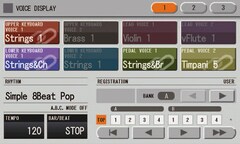
Voice, rhythm and other settings made using the Electone’s front panel or display are called “Registrations.”

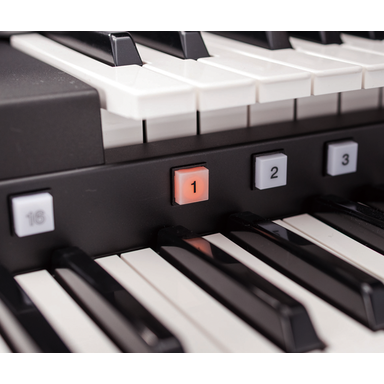
A wide range of combinations can be called up instantly using a single button, with five Registration Banks each consisting of 16 memories available, enabling the user to store a maximum of 80 (16 x 5) original Registrations.

Smoothly switch between Registrations using the Registration Memory buttons, the footswitch, or the Registration Sequence.

Additional Units can be stored as needed.

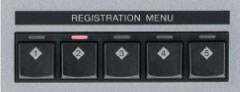
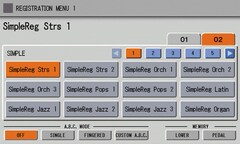
Registration Menu

Select and call up Registrations by musical genre for immediate, realistic performance. The Custom model offers 566 varieties to choose from, while the Standard model includes 506 menu selections. "Simple Registrations" can be used for improvisation, or to supply basic components when creating original Registrations.

Standard (FS) Keyboard

The Standard model keyboard. Initial Touch can be used to control volume and timbre according to how hard the keys are struck, while After Touch controls them according to pressure applied to the keys after playing. Sensors ensure the player’s full emotional expression is conveyed from the fingertips to the keyboard.

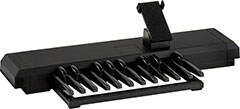
Pedalboard

In addition to Initial Touch features, the Pedalboard also enables legato and polyphonic play.

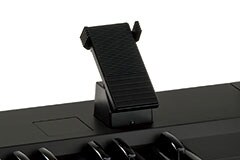
Expression Pedal

This pedal is used to control overall volume and add expressiveness to the music. Assigning a variety of functions to the left and right Footswitches gives the player effective, real-time control over their performance. They can also be used to switch between Registrations and to control rhythm.

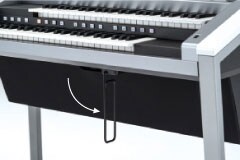
Knee Lever

This lever is operated using the right knee. It can be used to control the Sustain effect, or to switch the Upper Keyboard between solo and Melody on Chord play. The lever can be folded away when not in use.

Recording

Two purpose-based recording functions.

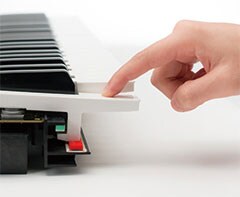
The audio recording function is handy when you want to play your music on the computer or record it onto a CD. The MDR recording function enables recording of keyboard playing by parts, as well as altering the tone and re-recording selected sections of the initial recording.

Note: Please use the USB flash drives noted on the list of drives whose performance have been verified by Yamaha. For more details, please visit your local Yamaha website.

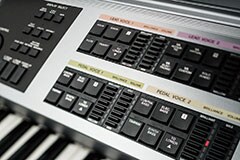
Buttons

Buttons are all easy to press, and are carefully arranged to allow the player to concentrate on the performance.

Form

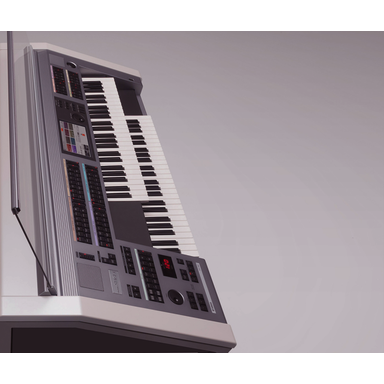
The frame is constructed to ensure pedal play is visible from any direction. The entire instrument is angled forward toward the player, creating a more dynamic appearance for the listener.

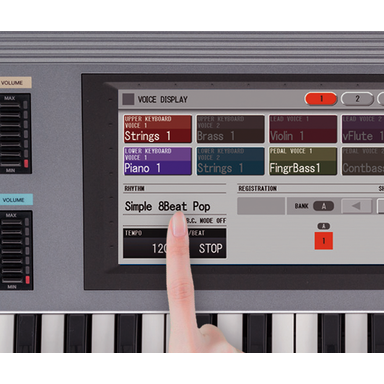
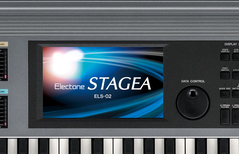
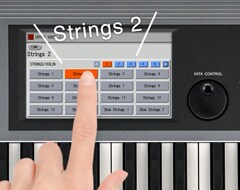
Large LCD Touch Panel

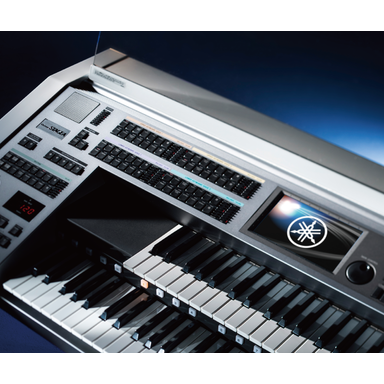
A large, 7-inch LCD touch panel is easily visible from the player’s position.

Combining it with the data control dial immediately adjacent enables intuitive operation of the controls.

Coloring

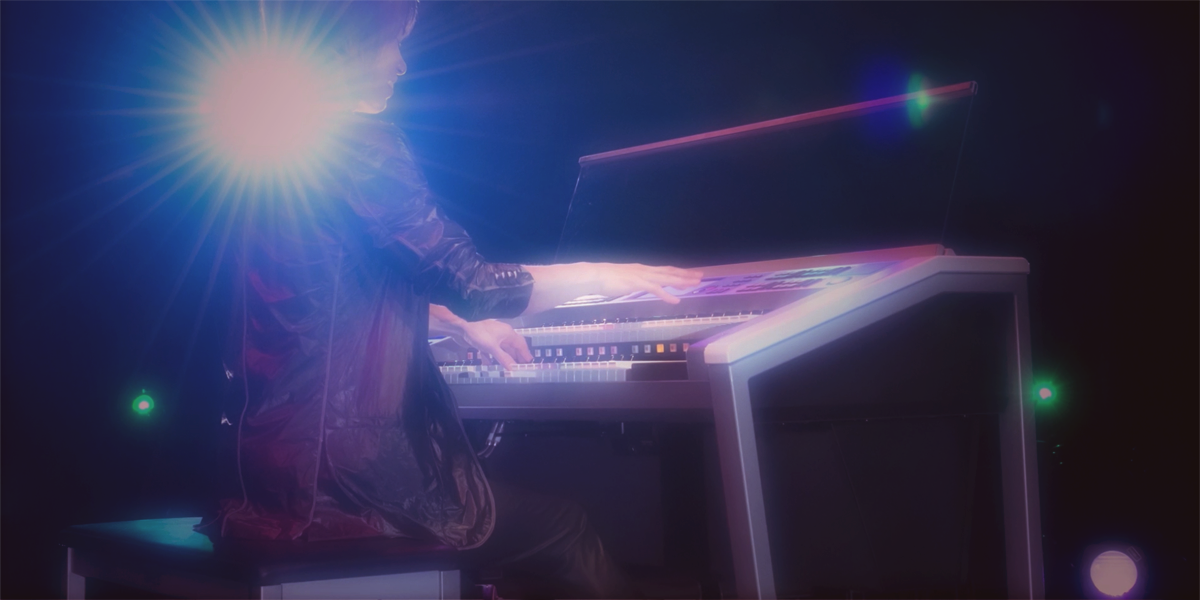
Tones of white, black and silver create an impression of intrepid strength. The coloring not only works well with any home interior, but builds even greater excitement for a player on stage.

Main Speaker

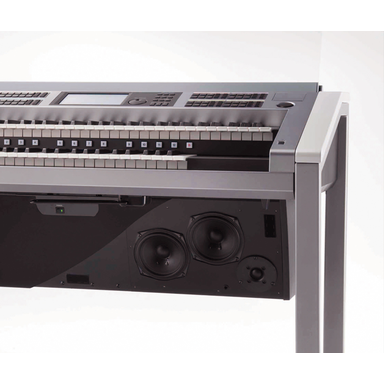
Speaker unit is located under the keyboard, and represents the culmination of sophisticated Yamaha sound technology.

Monitor Speaker

Located to the left and right above the panel. Supplements the stereo effect of the main speakers for the person playing.

기능

표현력이 뛰어나게 향상된 STAGEA


지상의 모든 소리를 생성합니다

수퍼 아티큘레이션 음색

AWM(Advanced Wave Memory) 톤 제너레이터는 986가지 음색을 구현합니다. 관악기와 현악기뿐만 아니라 전통 악기, 합창 소리와 그 밖의 다른 소리들까지 다양한 종류의 고품질 음색이 샘플링되어 있어서 풍부한 표현을 할 수 있습니다. 피아노 소리는 CFX 풀 콘서트 그랜드 피아노의 깊고 풍부한 음색을 구현한 것으로 Yamaha 피아노 제품군 중 최고의 걸작입니다.

AEM(아티큘레이션 요소 모델) 기술

AEM은 Yamaha의 독자적인 톤 생성 기술입니다. AEM은 연주하고 있는 곡에 실시간으로 최적의 샘플링 데이터를 선택하여 어쿠스틱 악기의 부드럽고 자연스러운 음색을 재현해 줍니다. AEM은 수퍼 아티큘레이션 음색에도 일부 사용됩니다.

AEM(아티큘레이션 요소 모델) 기술

AEM은 Yamaha의 독자적인 톤 생성 기술입니다. AEM은 연주하고 있는 곡에 실시간으로 최적의 샘플링 데이터를 선택하여 어쿠스틱 악기의 부드럽고 자연스러운 음색을 재현해 줍니다. AEM은 수퍼 아티큘레이션 음색에도 일부 사용됩니다.

버추얼 어쿠스틱 톤 제너레이터

이 톤 제너레이터는 악기의 내부에서 소리가 어떻게 생성되는지 시뮬레이션해서 소리를 합성할 가상의 악기를 만들어 줍니다. 이렇게 하면 어쿠스틱 악기 음색의 특성 변화를 표현할 수 있을 뿐만 아니라 완전히 다른 상상의 악기를 만들어 낼 수도 있습니다.

오케스트라의 풍부한 음향을 재현합니다

세 대의 건반에서 최대 8가지 유형의 음색을 동시에 사용할 수 있어서 연주자들이 풍부하고 중후한 오케스트라 음향을 재현해 낼 수 있습니다.

이펙트

딜레이, 디스토션 및 그 밖의 이펙트를 추가하여 완전히 새로운 종류의 표현을 가능하게 합니다. ELS-02/02C에는 16가지 카테고리와 308가지 유형의 다양한 이펙트가 포함되어 있어서 연주자가 자유롭게 이펙트를 결합하고 섬세하게 조절할 수 있게 합니다.

음색 링크

각 음색의 음색 조건 설정을 “음색 링크(Voice Link)”에 등록하여 단일 화면에 표시하면, 각 음색 섹션에서 불러낼 수 있습니다. 조건 설정도 함께 연결되어 있기 때문에 각 섹션의 설정을 여러 번 복사할 필요가 없어서 등록 절차가 훨씬 더 빠릅니다.

음색 편집

음색 편집(Voice Edit) 기능으로 각 음색의 톤과 음량을 변경 하며, 자기만의 고유한 음색을 만들 수 있습니다.주:

수퍼 아티큘레이션 음색은 편집할 수 없습니다.


다양한 리듬으로 전 세계의 음악이 가까워집니다

634가지 유형의 리듬 패턴.

Preset, realistic rhythm patterns have been sampled from actual percussion instruments. From standard patterns to those reflecting today’s musical styles, the Electone offers a diversity of rhythm patterns that work with music from around the world.

The Rhythm Program lets the player edit existing patterns as well as create entirely original patterns.

Note: Some preset patterns cannot be edited.

건반 타악기 (Keyboard Percussion)

건반에서 다양한 타악기 음색과 이펙트를 불러내어 상단 건반과 하단 건반, 페달보드에서 타악기 음색을 연주할 수 있습니다. 사용자가 각 건반에 원하는 음색을 지정하여 스테이지 한 대에 40개의 타악기를 지정할 수 있고, 두 가지 키트를 동시에 사용할 수 있습니다.


다양한 음악 스타일을 재현합니다.

등록

Voice, rhythm and other settings made using the Electone’s front panel or display are called “Registrations.”

A wide range of combinations can be called up instantly using a single button, with five Registration Banks each consisting of 16 memories available, enabling the user to store a maximum of 80 (16 x 5) original Registrations.

Smoothly switch between Registrations using the Registration Memory buttons, the footswitch, or the Registration Sequence.

Additional Units can be stored as needed.

등록 메뉴

즉흥적이고 생생한 연주를 위해 음악 장르별로 등록한 것을 불러내서 선택할 수 있습니다. 기본 모델에서는 506가지 메뉴를 선택할 수 있는 반면, 맞춤 모델에서는 566가지를 선택할 수 있습니다. "단순 등록"은 즉흥연주에 사용하거나 고유의 등록을 만들 때 기본 요소를 공급하는 데 사용할 수 있습니다.

ELS-01 시리즈 데이터도 사용할 수 있습니다

Data created or purchased for the ELS-01 series can also be used with the ELS-02 series. Voices and Rhythms from the ELS-01 series are included in the ELS-02 under the same names (some numbers may have been added or other slight changes made).

Note: Data for Drum and Percussion pitches set high may not reproduce at the same pitch.

Note: Sound transitions are now more natural for Lead Voice timbres when playing Legato or using the Slide function.

Note: Because of faster data reading speeds, some data may require adjustment.


Two purpose-based recording functions.

ELB-02에는 두 가지 녹음 기능이 있습니다. 오디오 녹음 기능은 연주한 음악을 컴퓨터에서 재생하거나 CD에 저장하고자 할 때 유용한 기능합니다. MDR 녹음 기능은 건반 연주곡을 부분별로 녹음할 수 있고, 기존에 녹음한 곡의 일부분의 음색을 변경해 다시 녹음할 수도 있습니다.

Note: Please use the USB flash drives noted on the list of drives whose performance have been verified by Yamaha. For more details, please visit your local Yamaha website.


Yamaha만이 연주자에게 이런 터치 반응성을 제공할 수 있습니다.

맞춤(FSV) 건반

이 건반에는 맞춤 모델이 장착되어 있습니다. 초기 터치와 애프터 터치 기능뿐만 아니라, 수평 터치를 사용해서 피치를 다양하게 변화시킬 수 있습니다. 센서가 0.1mm씩 증가하는 단위로 수평 방향 스트로크 변화를 감지하여, 127개 단계로 나뉘어 섬세한 표현을 가능하게 해 줍니다. Yamaha만이 이런 기능을 구현하는 맞춤 건반을 제공합니다.

페달 보드

초기 터치 기능뿐만 아니라, 페달 보드로 레가토 및 다성 음색 연주도 가능합니다.


다양한 종류의 풀 바디 제어 기능.

익스프레션 페달

이 페달은 전체 음량을 제어하고 음악에 표현성을 추가하는 데 사용됩니다. 왼쪽과 오른쪽 풋 스위치에 다양한 기능을 지정하여 연주자가 연주 시 등록한 것을 전환하거나 리듬을 변경 하는 등 효과적으로 실시간 제어를 할 수 있습니다.

니 레버 (Knee Lever)

This lever is operated using the right

이 레버는 오른쪽 무릎을 사용하여 작동합니다. 서스테인 효과를 제어하거나 상단 건반을 솔로와 화음 연주 멜로디 간에 전환할 때 사용합니다. 이 레버는 사용하지 않을 때는 접어둘 수 있습니다.


자유로운 연주가 가능하도록 연주자의 움직임에 최적화 되었습니다.

버튼

버튼은 모두 누르기 간편하고 연주자가 연주에 집중할 수 있도록 세심하게 정렬되어 있습니다.

형태

프레임은 어느 방향에서도 페달 연주를 볼 수 있도록 설계 되었습니다. 전체 악기는 연주자를 향해서 각도가 맞춰져 있어서 청중에게 보다 역동적인 외관을 보여줍니다.

대형 LCD 터치 패널

A large, 7-inch LCD touch panel is easily visible from the player’s position.

Combining it with the data control dial immediately adjacent enables intuitive operation of the controls.

색상 배치

흰색, 검정색 및 은색 색조가 강렬한 느낌을 줍니다. 색상 배치가 가정의 실내와 잘 어울릴 뿐만 아니라 무대에서 연주할 때 더욱 열정적으로 만들어 줍니다.


연주자와 청중 모두에게 전달되는 정확한 음향.

메인 스피커

스피커 장치는 건반 아래에 위치하여 정교한 Yamaha 음향 기술의 정점을 보여줍니다. 맞춤 모델에는 뒷면에 켜고 끌 수 있는 스테레오 스피커가 있어서 음향을 더욱 풍부하게 합니다.

모니터 스피커

패널 위의 왼쪽 및 오른쪽에 위치해 메인 스피커의 스테레오 효과를 보완합니다.

The Voice Guide will talk to you and support controlling the Electone

When Voice Guide is active, the Electone speaks information from the current display or operation being executed. This allows those who have visual impairments to enjoy playing and using the instrument.

Note:

*When using Voice Guide, make sure that the USB flash memory containing the Voice Guide files is connected to the instrument.

*The audible information of the functions/screen supported by the Voice Guide is limited.

*The Voice Guide file is common for ELS-02/02C and ELC-02.

부품 목록
* 사양은 사전 공지 없이 변경될 수 있습니다. 표시된 색상 및 마감은 실제 제품과 다를 수 있습니다.

to page top

Select Your Location